Answer customers with the order already open.
Ferry Desk is a helpdesk that runs inside your Shopify admin. Email and storefront chat land in one shared inbox, right next to the customer’s orders, so your team can refund, cancel or add tracking without switching tabs.
Storefront chat
Shopify orders
One desk
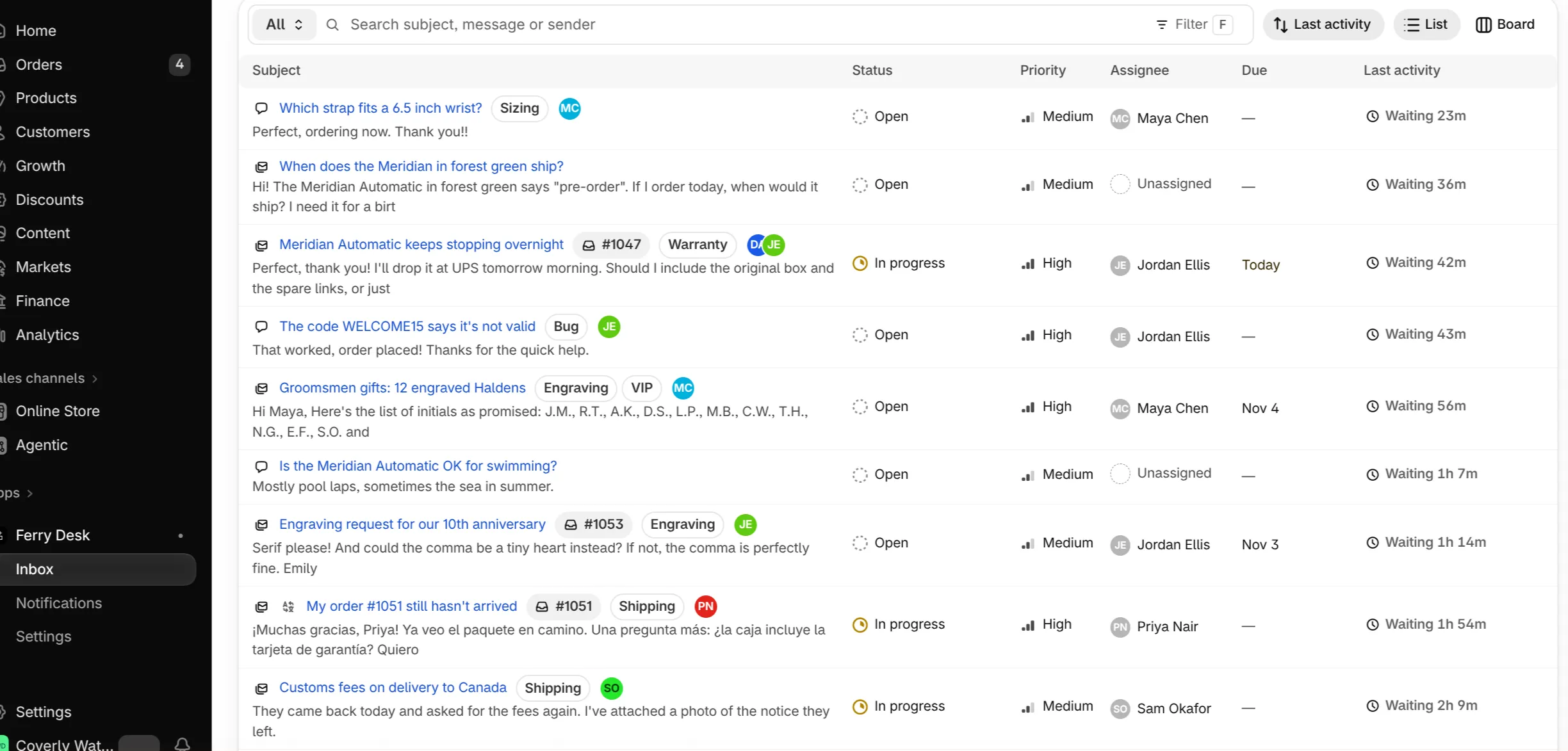
Email and chat in one shared inbox
Every customer email and storefront chat becomes a conversation your whole team can see, assign and resolve from the Shopify admin.
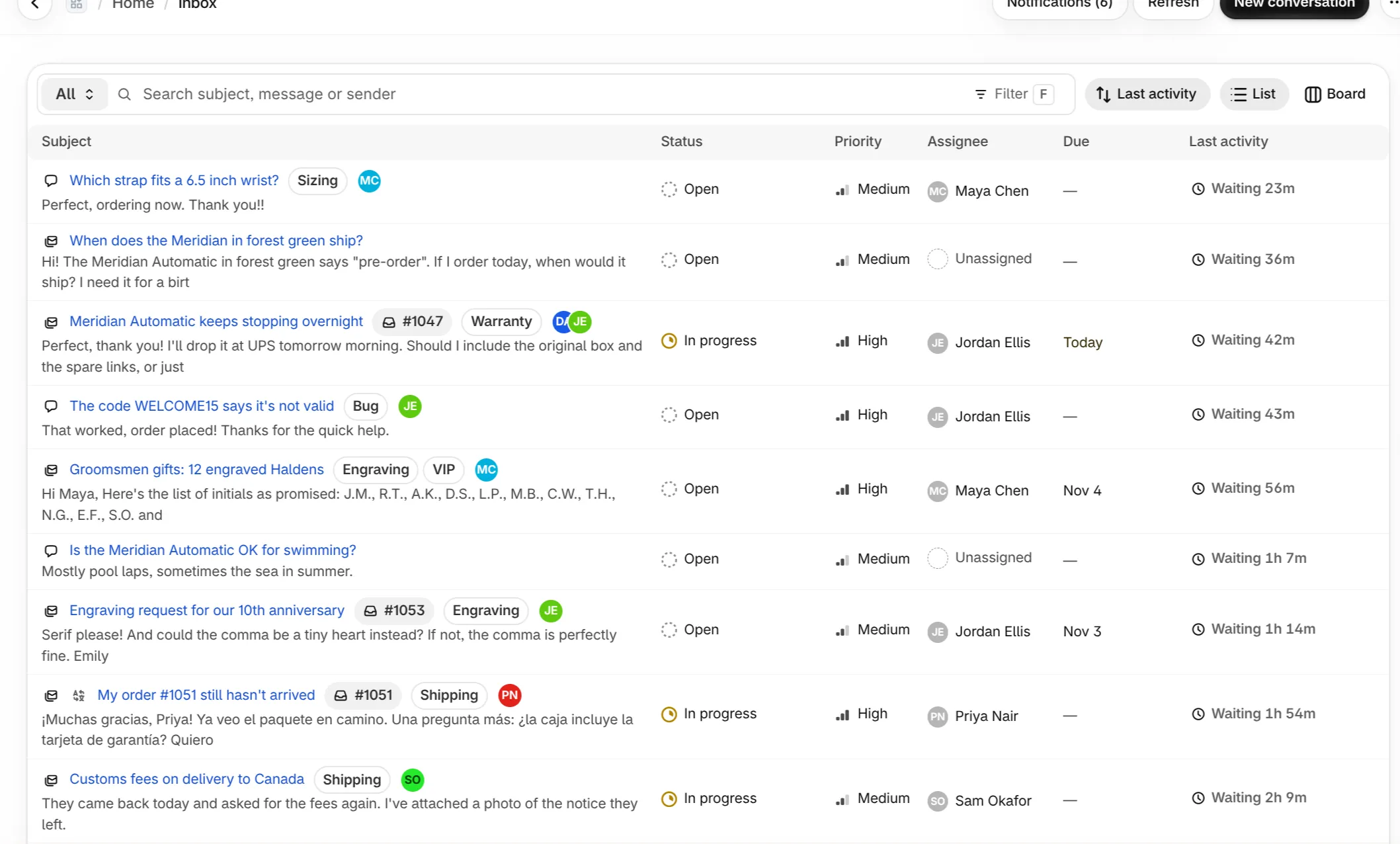
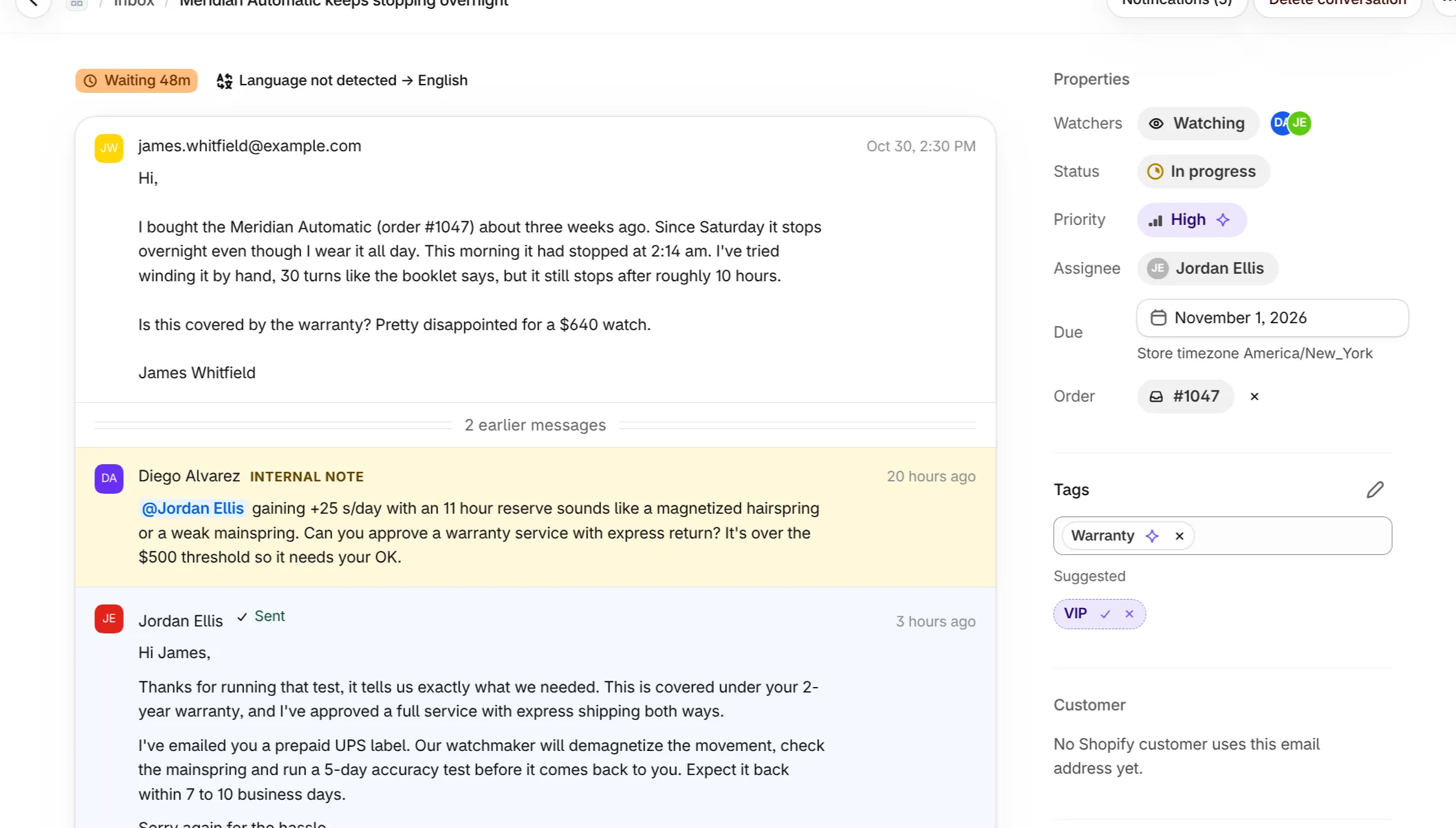
Forward your support address to Ferry Desk and chats from your storefront arrive in the same place. Each conversation shows its channel, priority, assignee, tags and the order it is about, so the list reads like a to-do list rather than a pile of mail.
- Assign and prioritize. Give a conversation to a teammate, set urgent, high, medium or low priority, and add a due date.
- Internal notes and mentions. Discuss a tricky case right in the thread. Mention a teammate and they get notified.
- Rich replies with undo send. Format replies, attach files, and pull a reply back during the undo window.
- Saved views and search. Save the filters you use every day and search every message, including translated text.
- My work at a glance. The home page shows what is assigned to you, what is overdue and what nobody has picked up yet.
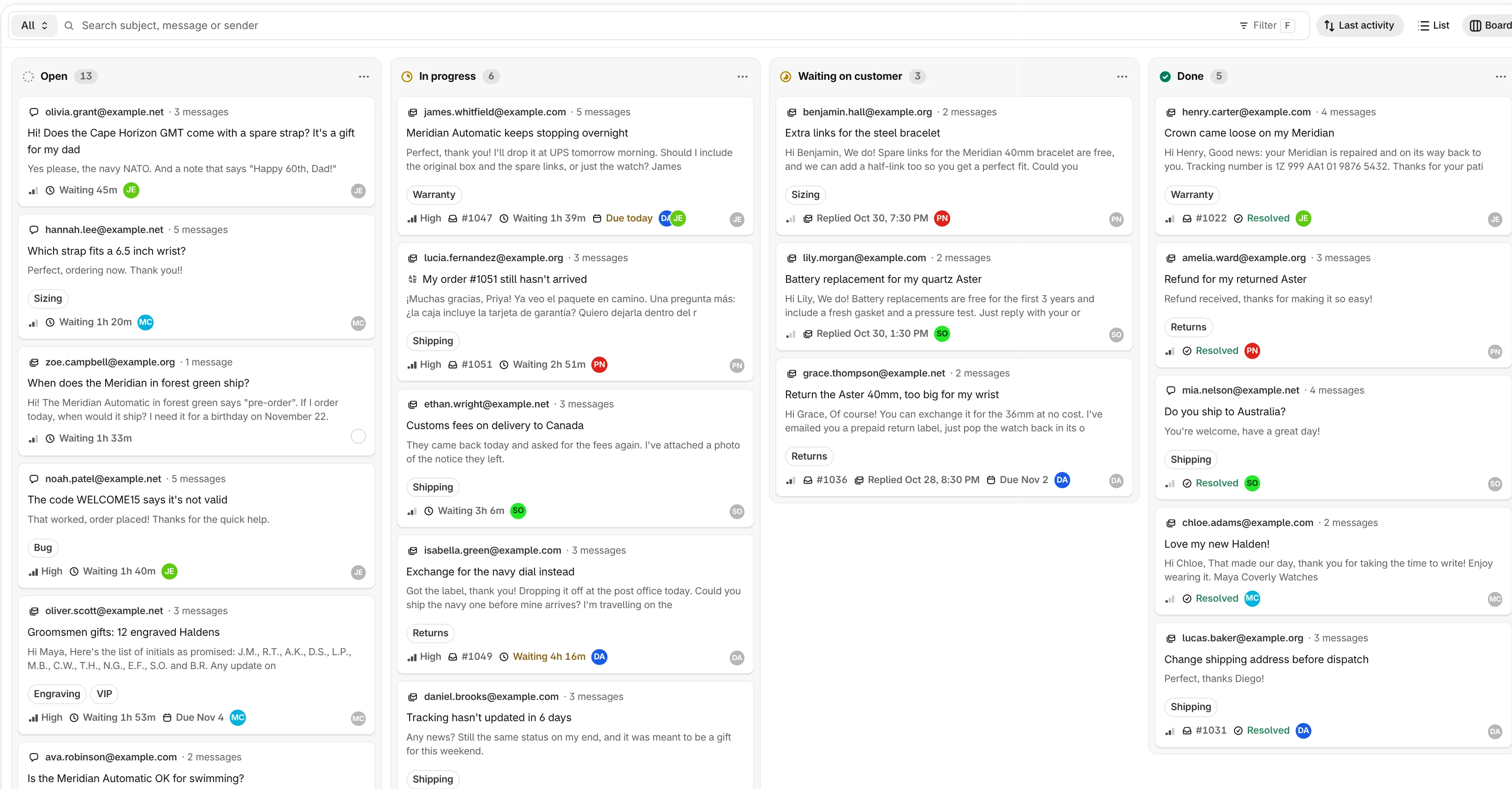
Every conversation becomes a task on one board
Switch the inbox to a board and see all support work in one screen, from new to done, with who owns each conversation and how long the customer has waited.
Support work is a to-do list. The board treats it like one: each conversation is a card, and every column is a stage your team agrees on.
- Drag to move work forward. Drop a card into Done and the conversation is resolved. Drag it back and it reopens.
- Columns that fit your process. Add, rename and remove columns, like “Waiting on customer” or “Waiting on warehouse”.
- Everything on the card. Channel, subject, latest message, tags, priority, attached order, waiting time, due date and assignee are visible without opening the conversation.
- Assign and track in one place. See who owns what, spot the cards nobody has picked up, and catch overdue ones before customers chase you.
- Same filters as the list. Search, saved views, tags and sort order work in both views, so you can switch with one click.
Live chat that looks like your store
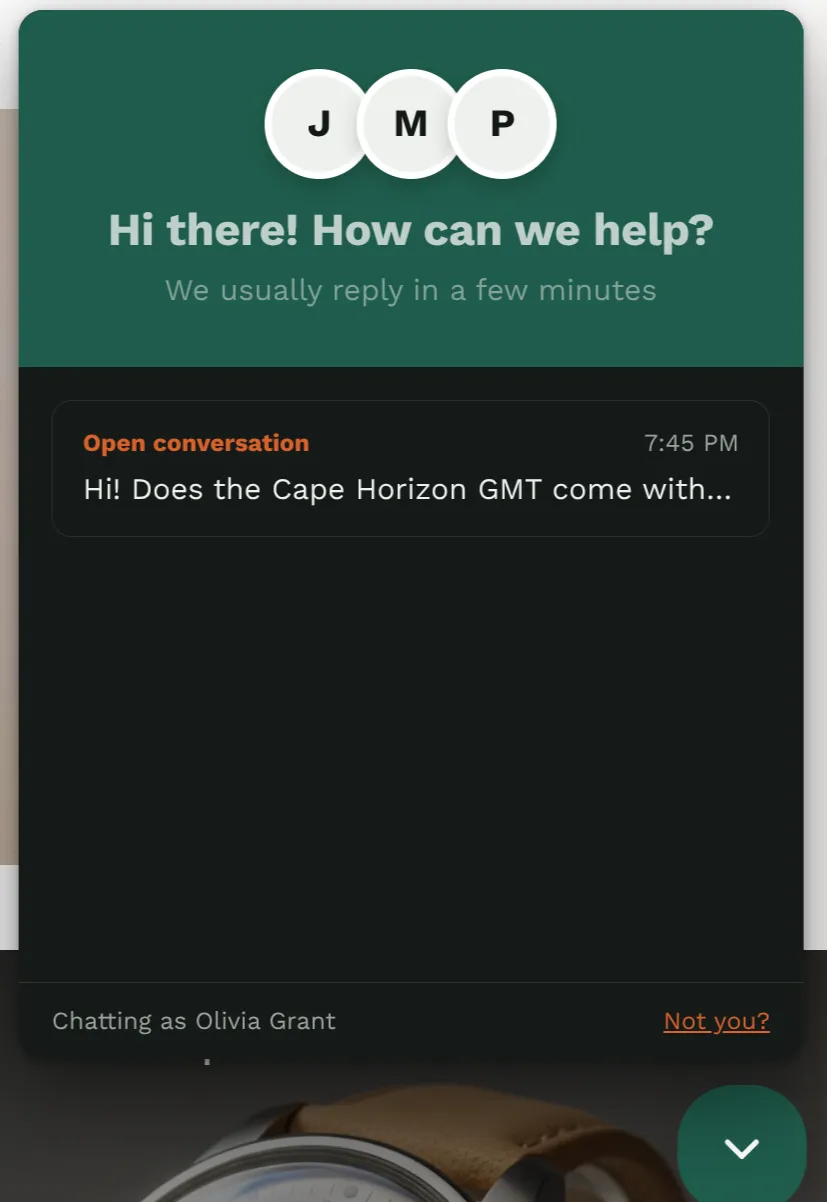
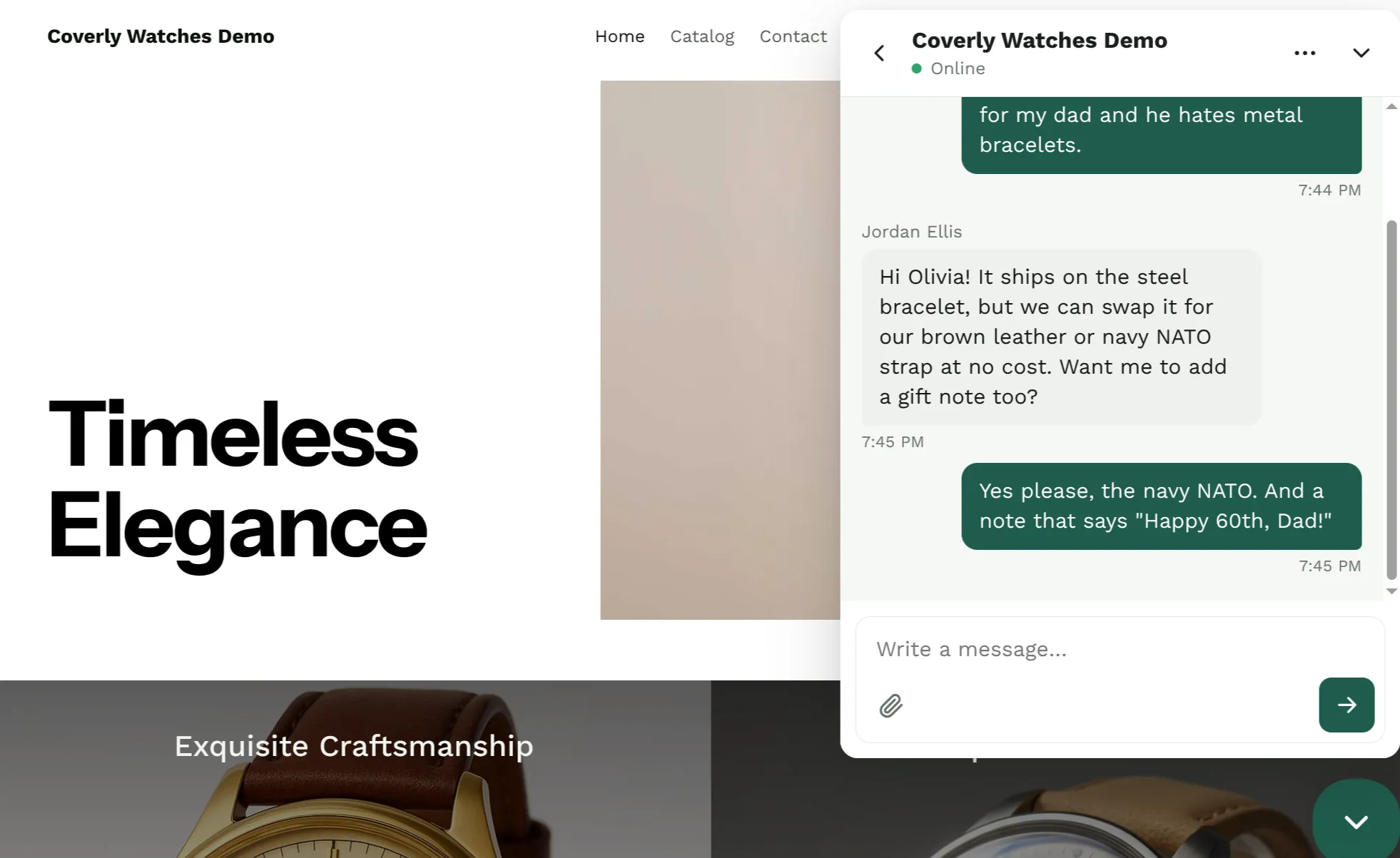
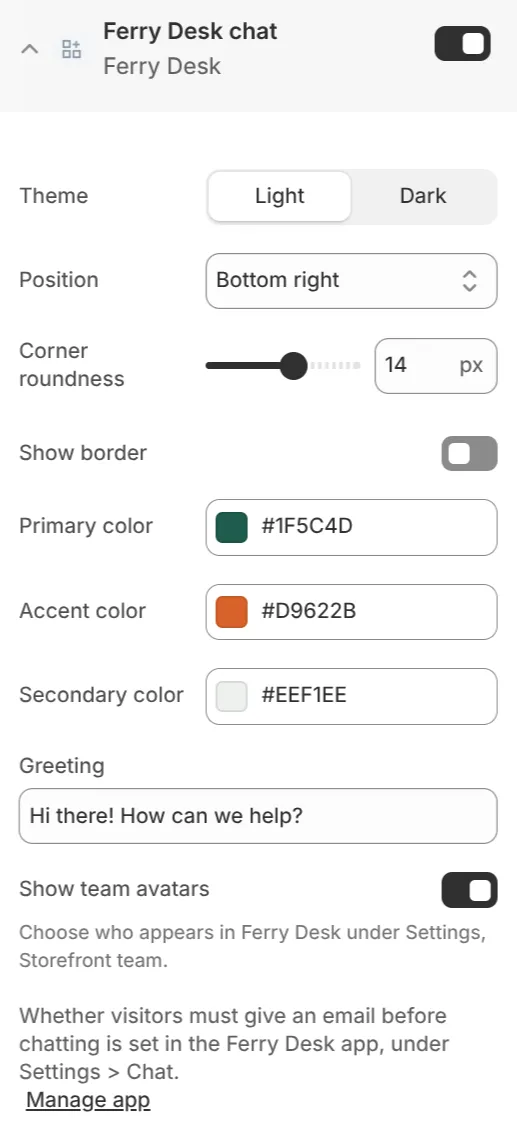
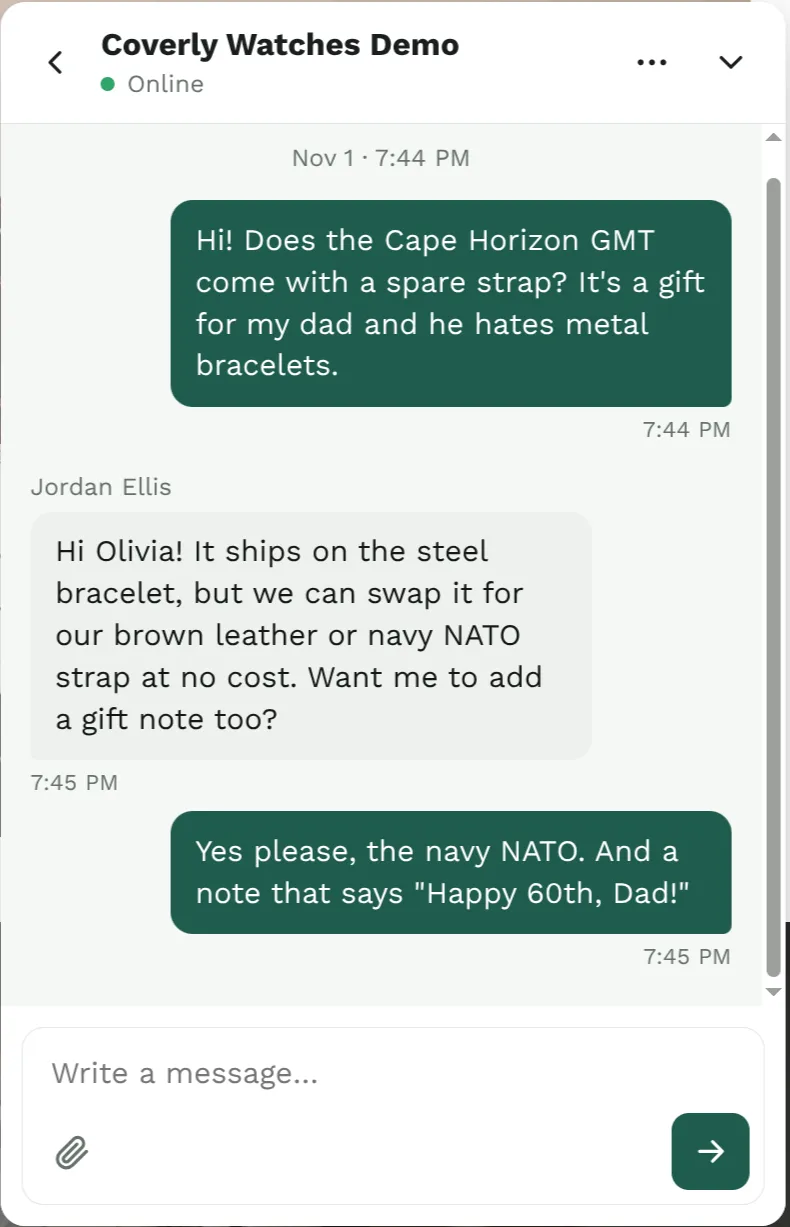
Add a chat bubble to your Online Store theme with an app embed, styled from the theme editor with no code.
The Ferry Desk chat is a Shopify theme app embed. Turn it on in the theme editor and it appears on every page of your store.
- Match your brand. Choose light or dark, primary, accent and secondary colors, corner roundness, a border and the bottom-left or bottom-right corner.
- Show your team. The chat header shows the people who answer, with their photos or initials.
- Signed-in customers are recognized. Guests can start right away, or you can ask for an email first.
- Conversations persist. Customers can leave the page and come back to the same chat later.
- Nothing gets lost. If a reply sits unseen in the chat, Ferry Desk sends it by email.
- Photos welcome. Customers attach files in the chat, and your team can send files back.
Refund, cancel and add tracking without leaving the thread
Attach the order a customer is writing about, then act on it from the order panel beside the conversation.
Most support questions are about an order. Ferry Desk keeps that order beside the conversation, so your team can see what was bought, how it was paid and where it is, then fix the problem in place.
- Attach an order to any conversation. It shows in the inbox list and on board cards too.
- Refund the attached order with a note for your records.
- Cancel an order that has not shipped yet.
- Add tracking information when a shipment needs it.
- Order details stay private. Automatic replies never share order details with visitors who are not signed in.
Answer common questions the moment they arrive
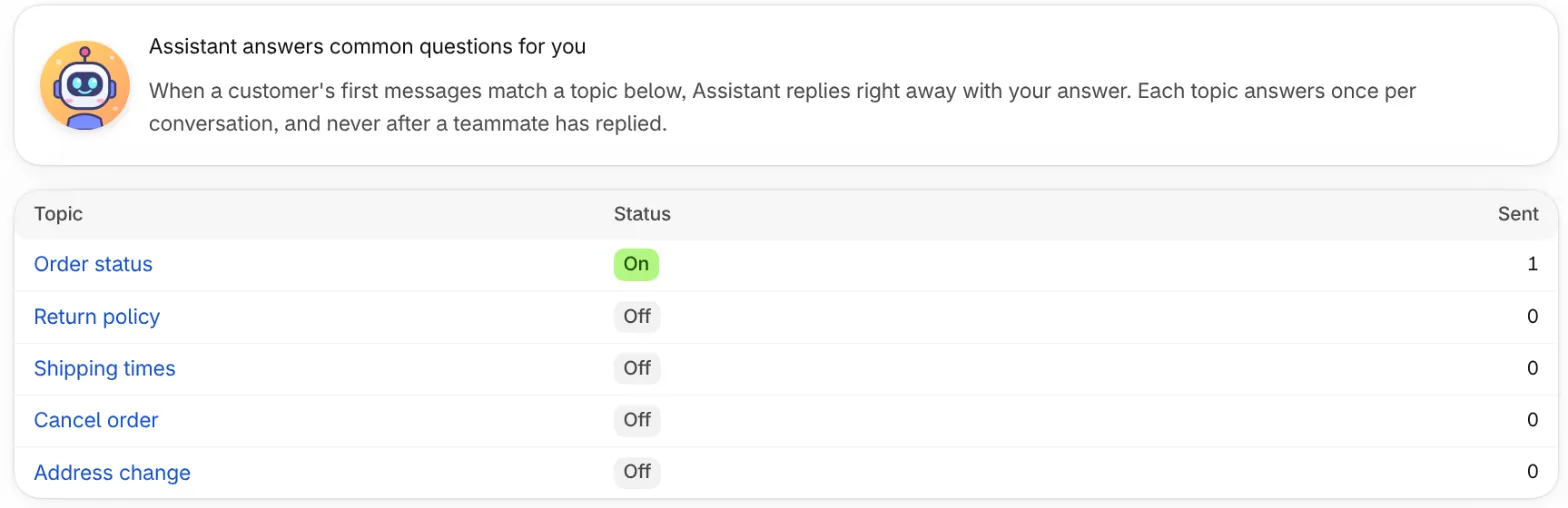
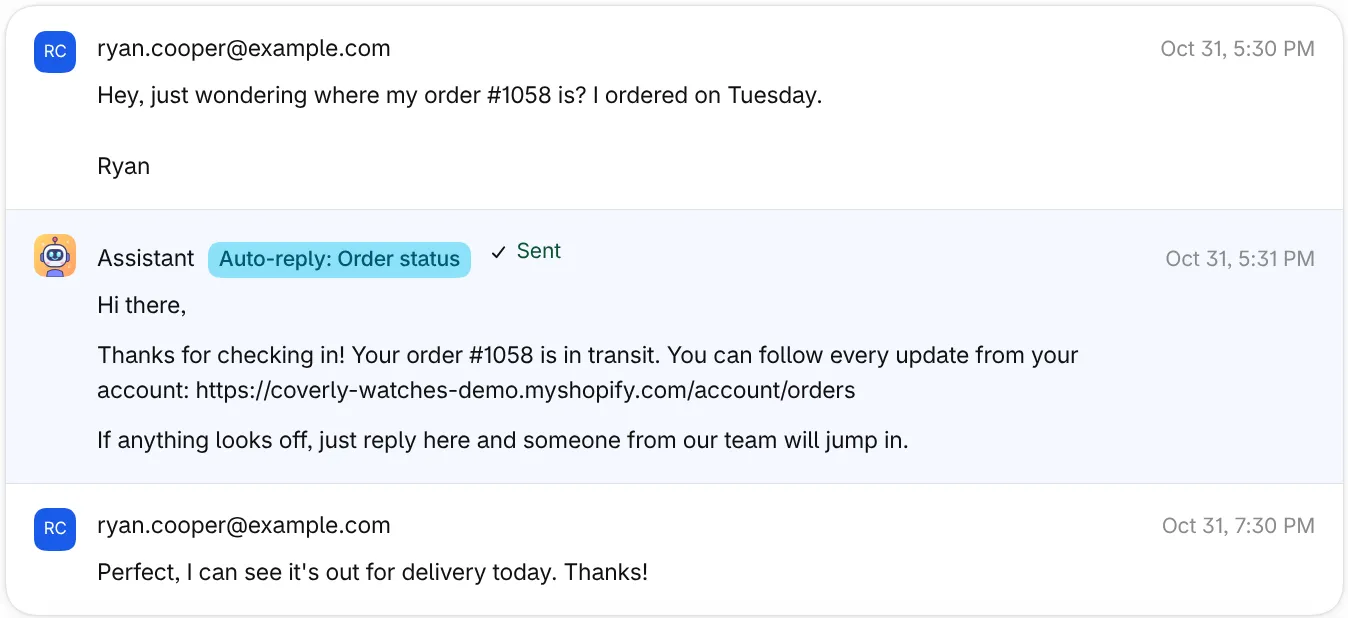
Describe the questions customers ask most and write your answer once. The assistant recognizes them in context and replies right away, using the customer's real order details.
“Where is my order?” should not wait in a queue. Automatic replies handle the questions you answer every day, so your team can spend time on the ones that need a person.
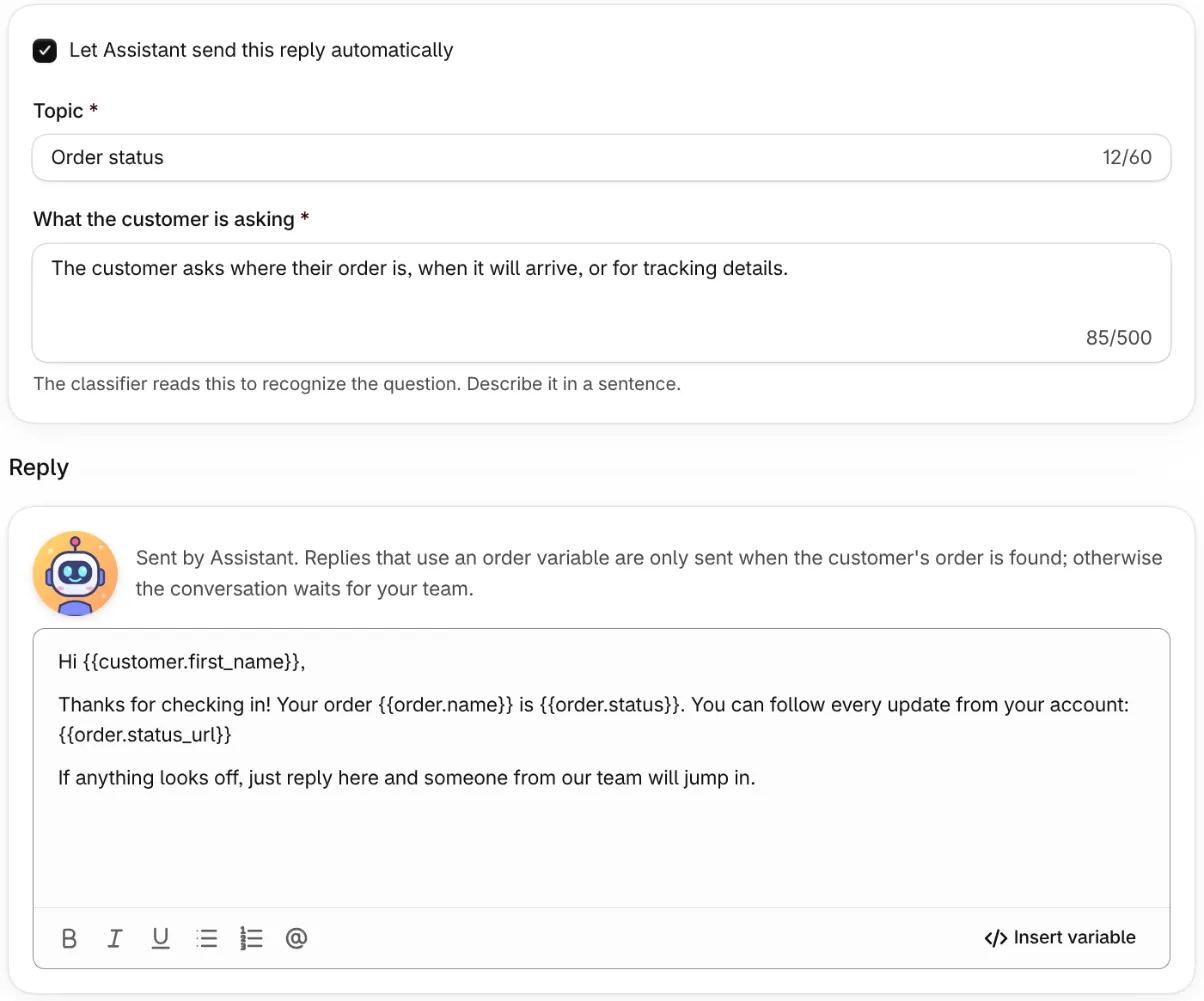
- Topics in plain words. Describe what the customer is asking in one sentence, like “The customer asks where their order is or when it will arrive.” No keyword rules to maintain.
- Understands context. The assistant reads the customer’s first messages and matches the meaning, not exact phrases.
- Answers with real data. Use variables like the customer’s first name, order number, order status and order status link. If the order can’t be found, nothing is sent and the conversation waits for your team.
- Never in the way. Each topic answers once per conversation and never after a teammate has replied. Turn any topic on or off at any time.
- Safe for guests. Order details are never shared with storefront chat visitors who are not signed in.
- See what it does. Every automatic reply is labeled in the conversation, and each topic shows how many replies it has sent.
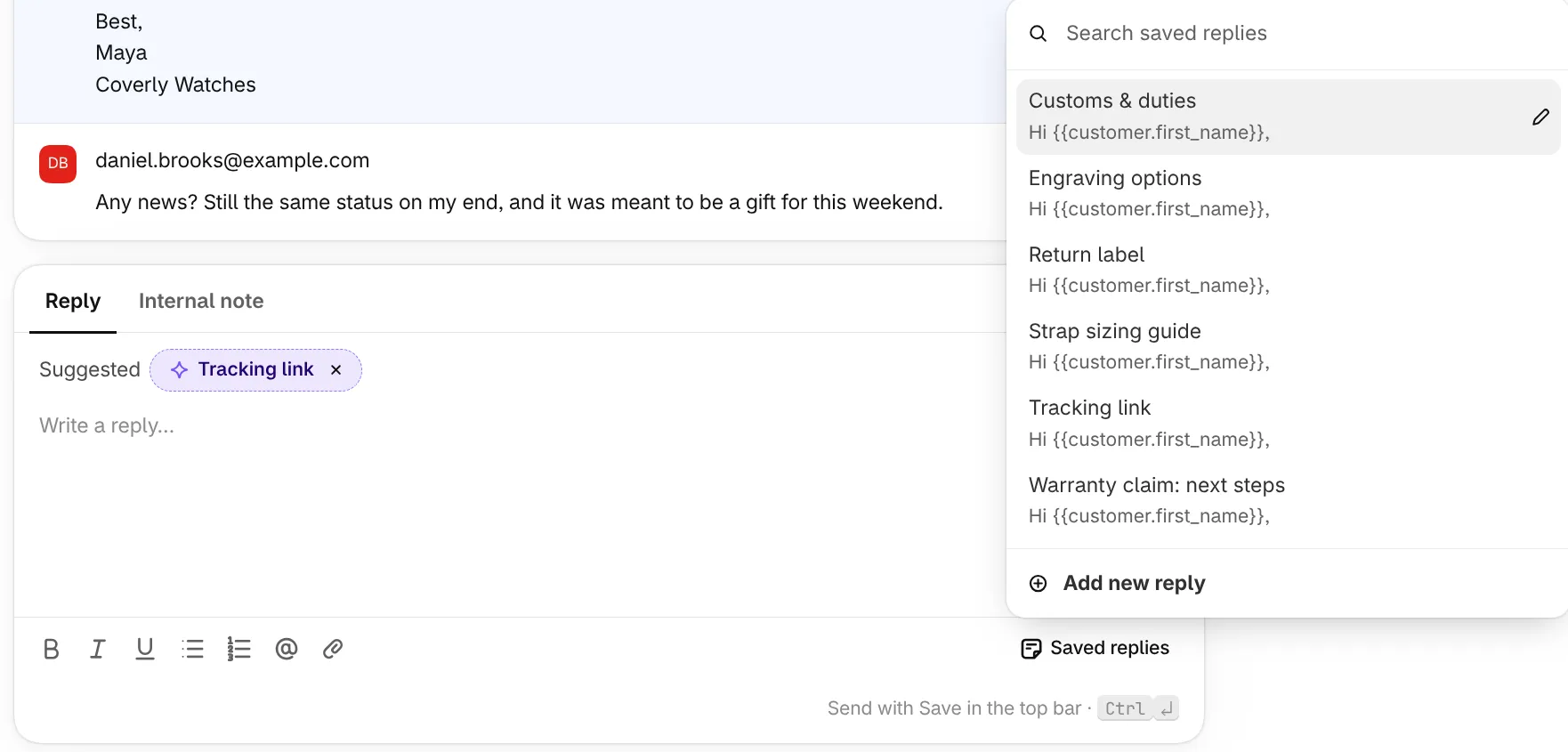
Saved replies, suggested at the right moment
Keep your best answers as saved replies with customer and order variables, and let Ferry Desk suggest the right one as each new message comes in.
- Write it once. Save answers for returns, sizing, customs, warranty claims and anything else you explain often.
- Variables fill themselves in. Use placeholders like
{{customer.first_name}}and{{order.name}}, and Ferry Desk fills them from the conversation and its attached order when you insert the reply. - Suggested for you. When a new message arrives, Ferry Desk reads it and suggests the saved replies that fit, right above the composer. One click inserts it, and you can still edit before sending.
- Find any answer fast. Search the picker from the composer, or add a new saved reply without leaving the conversation.
- Formatting included. Saved replies keep bold text, lists and links, and insert at the cursor.
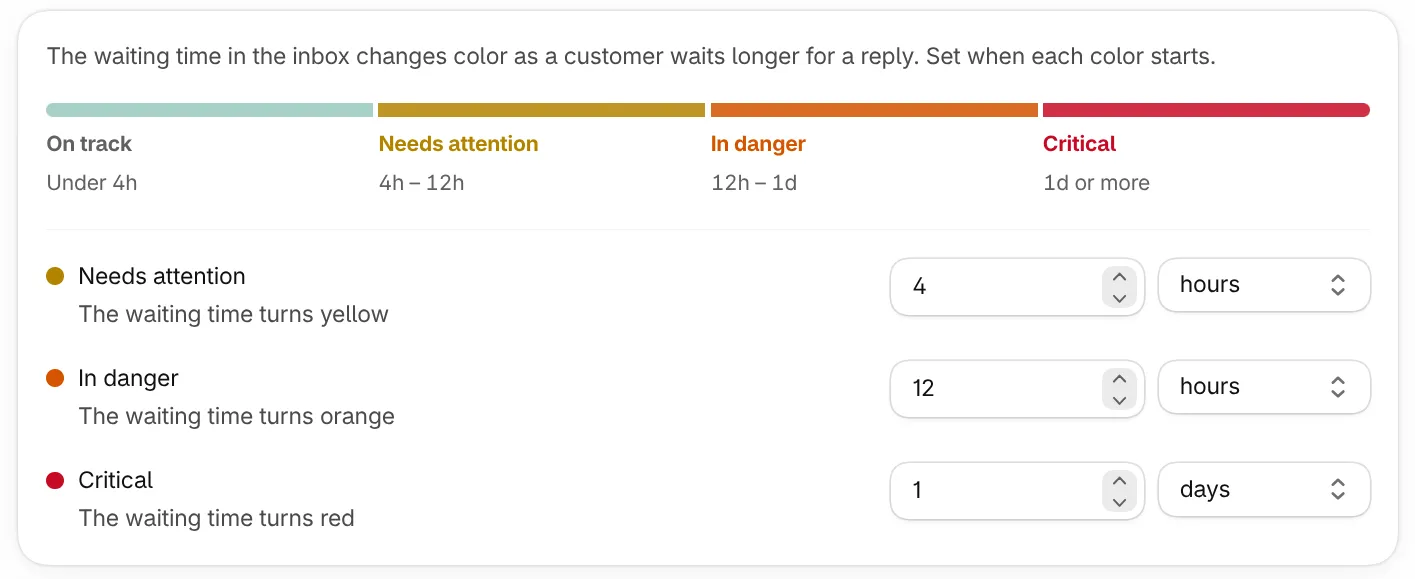
Reply time SLAs your team can see at a glance
Set how long a customer can wait before a conversation needs attention, is in danger or is critical. Waiting times change color across the inbox and board as each threshold passes.
Every store promises a response time, written down or not. Ferry Desk makes yours visible.
- Three thresholds you control. Choose when the waiting time turns yellow, orange and red, in minutes, hours or days, for your shop.
- Always in view. Each conversation shows how long the customer has been waiting, in the inbox list and on board cards, colored by your thresholds.
- Spot slipping work early. Yellow and orange show up before a customer is let down, so the team can pick those conversations up first.
- Due dates for promises. Set a due date on any conversation when you promise a follow-up, and see what is overdue on your home page.
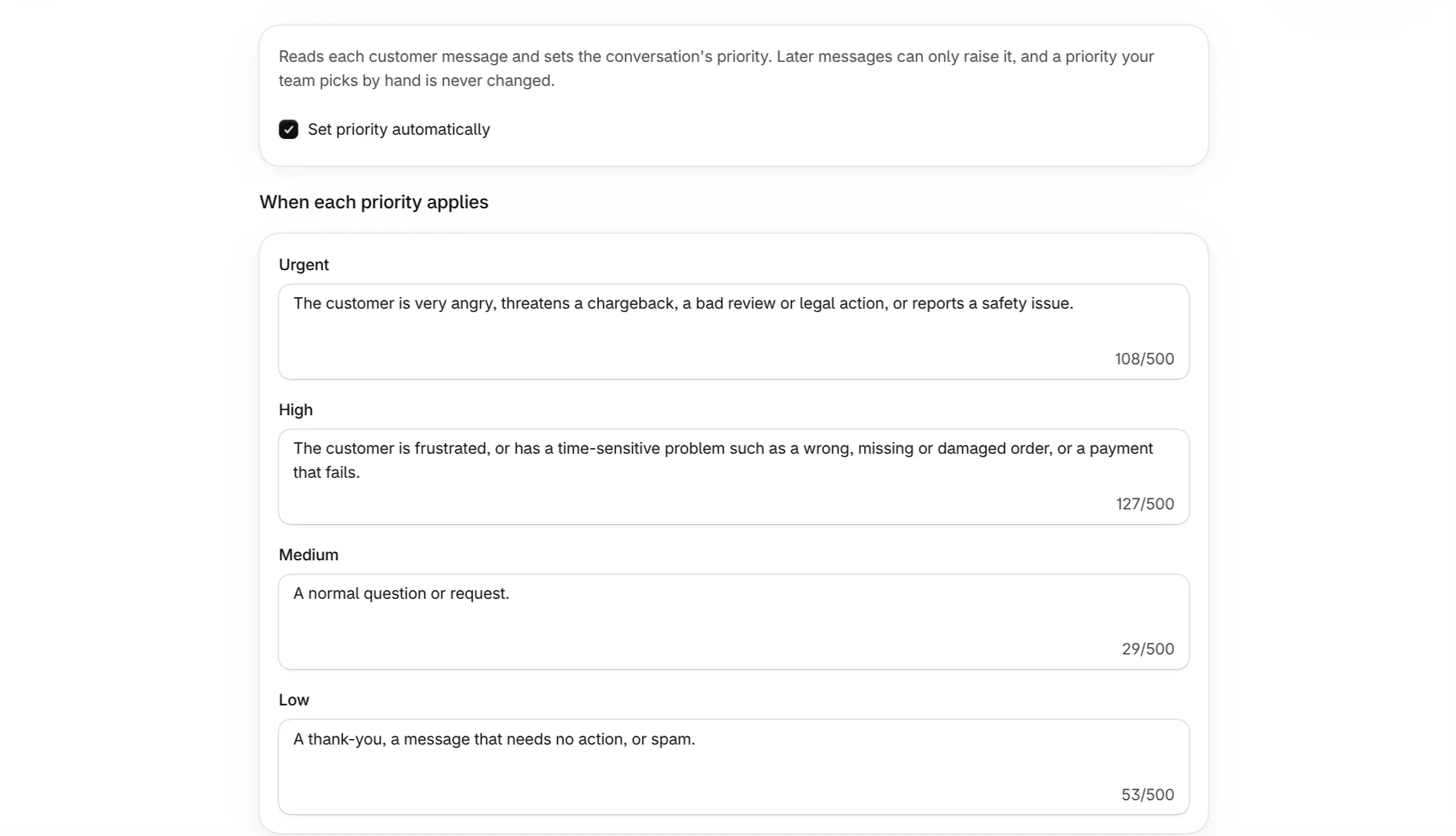
Drafts, priorities and answers that read the room
Optional AI help that drafts replies in your tones, flags urgent messages and suggests tags, while your team stays in control.
Every assistant feature is optional and can be turned off in Settings.
- Reply drafts in your tones. Describe how you write, for example “Friendly” or “Formal and brief”, and Ferry Desk suggests a draft in that tone for your team to edit and send.
- Automatic priority. Ferry Desk reads the customer’s tone and raises priority when a message is urgent. It only ever raises priority, and never changes a priority your team set by hand.
- Tag suggestions. New messages get suggested tags that your team accepts or dismisses with one click.
- Saved replies and automatic replies. The same assistant suggests saved replies in the composer and answers common questions on its own. Both have their own sections above.
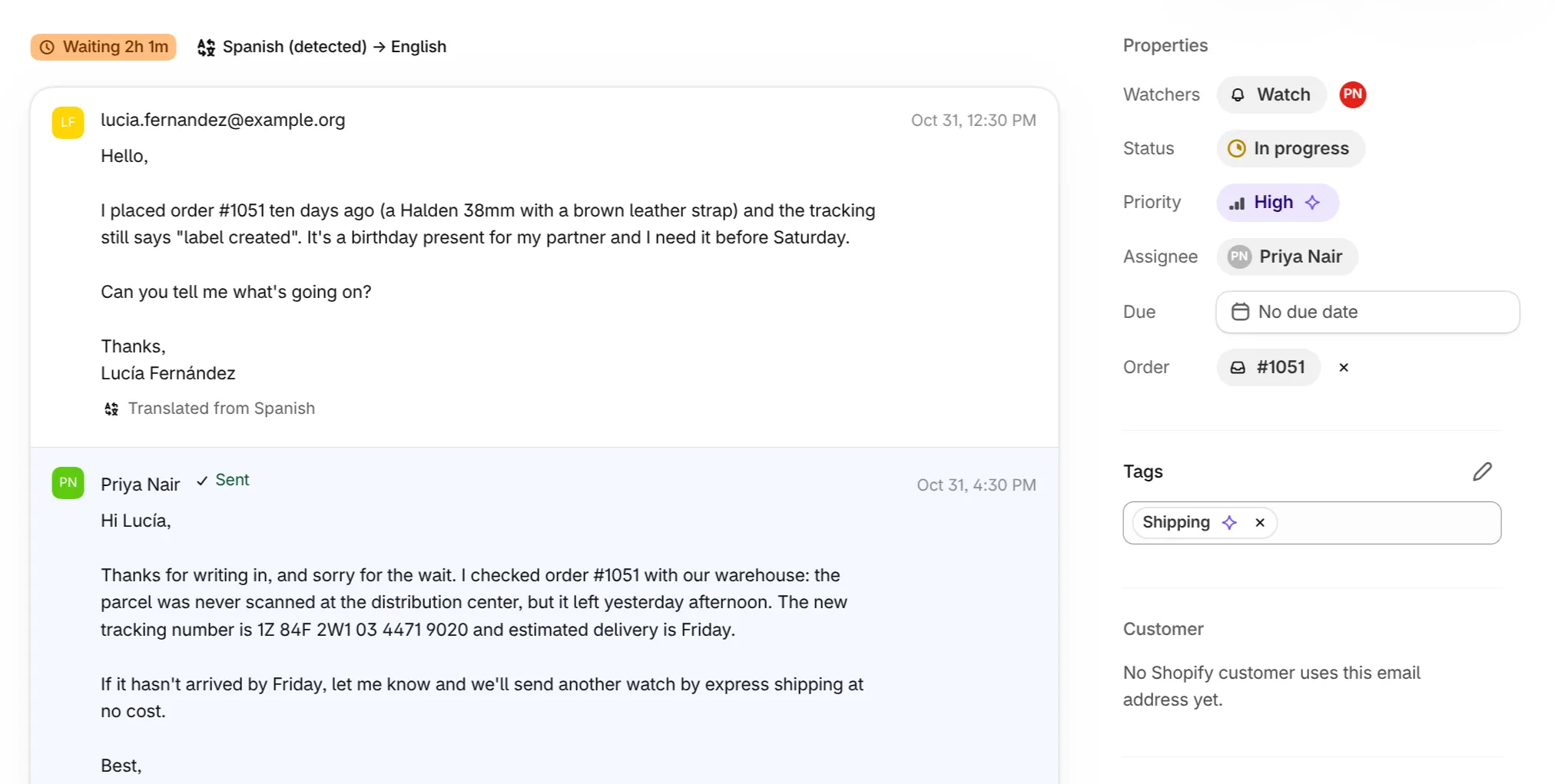
Support customers in their language
Ferry Desk detects the language of each customer message and translates it into the language your team works in.
Sell across borders without hiring for every language.
- Automatic translation of customer messages and subjects into the language you choose in Settings.
- Replies go out in the customer’s language. Write in English and the customer reads your answer in theirs.
- The original is one click away, so nothing is lost in translation.
- Private by design. Translation runs on Ferry Desk’s own servers. Messages are not sent to an outside provider.
- Search in your language. Full-text search finds conversations by their translated text.
Stay on top of support from anywhere in Shopify
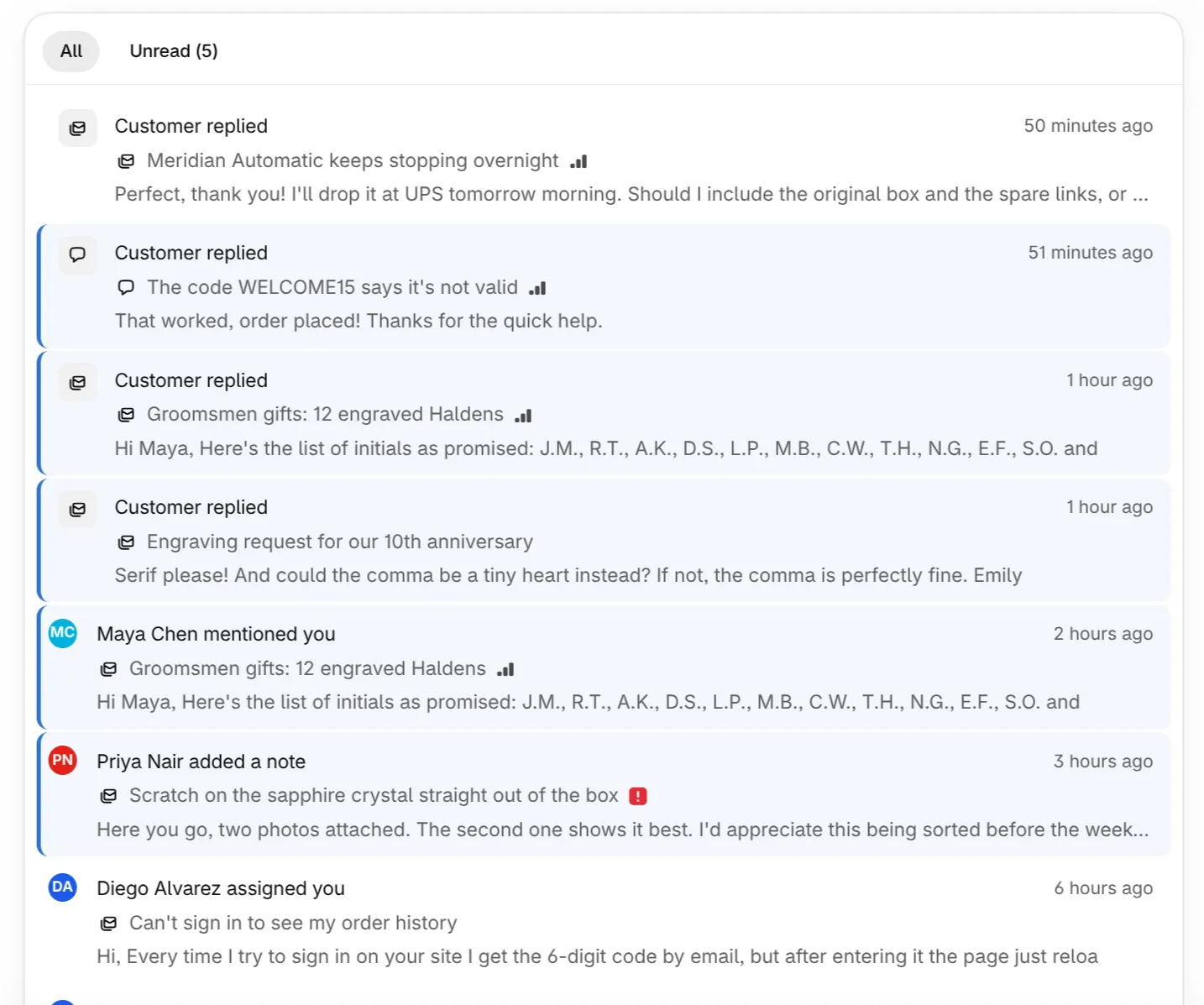
Notifications for mentions, assignments and watched conversations, and a Sidekick that can search and report on your inbox.
- Notifications that matter. Get notified when you are mentioned, assigned, or when a conversation you watch gets a reply. Read them in the app, in a batched email, or as desktop notifications.
- Shopify Sidekick. Ask Sidekick to find conversations by customer, order, subject, status, priority, assignee, channel or tag, read recent messages, or report open, unassigned and overdue counts.
Also in the box
- Tags that survive renames
- Tag conversations from the inbox or the thread, filter by tag, and rename a tag without breaking saved views.
- Saved views and full-text search
- Save the filters you use every day and search every message, including the translated text.
- Undo send
- Every reply waits a few seconds before it goes out, so a typo or the wrong attachment can be pulled back.
- Attachments both ways
- Customers attach photos in email or chat, and your team attaches files to replies and internal notes.
- Privacy requests handled
- Shopify customer data and redaction requests are handled automatically, without manual cleanup.
- Desktop notifications
- Get a browser notification for mentions, assignments and replies on the conversations you watch.
Set up in an afternoon
Install Ferry Desk in your Shopify admin
It opens as an embedded app, so your staff sign in with the Shopify accounts they already have.
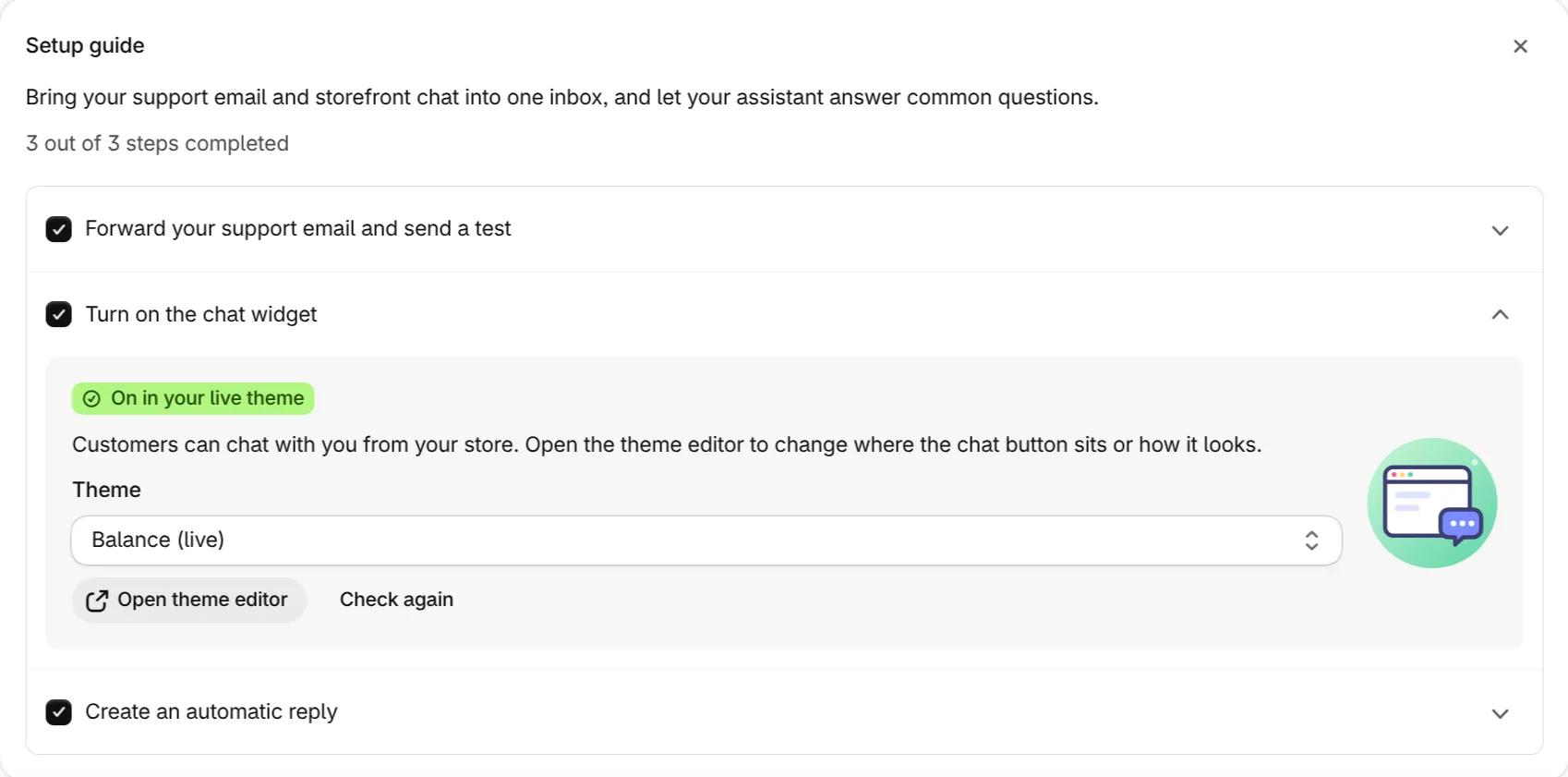
Forward your support email
Settings shows a private forwarding address. Forward your support mailbox to it and new emails become conversations. Replies go out under your store’s name.
Turn on the chat in your theme
Enable the Ferry Desk chat app embed in the theme editor, then pick light or dark, colors, corner roundness and position to match your store.
Questions merchants ask
What is Ferry Desk?
Ferry Desk is a customer support helpdesk built for Shopify merchants. It runs inside the Shopify admin and puts email and live chat conversations in one shared inbox, with each customer’s orders shown beside the conversation.
Which channels does Ferry Desk support?
Email and storefront live chat. Email arrives by forwarding your existing support address. Chat is added to your Online Store theme as an app embed, with no code changes.
Can my team refund or cancel an order from a conversation?
Yes. Attach the order to the conversation and the order panel lets your team refund, cancel with a note, or add tracking information, all from the conversation.
Can we track conversations like tasks?
Yes. Switch the inbox to a board and every conversation becomes a card. Drag cards between columns you define, assign them, set due dates and see how long each customer has waited, all on one screen. Moving a card to Done resolves the conversation.
Can Ferry Desk answer customers automatically?
Yes, for the topics you choose. Describe a common question in one sentence and write your answer with order variables. The assistant replies right away when a new conversation matches, once per conversation and never after a teammate has replied.
Can we set response time targets?
Yes. Reply time SLAs let you choose when a waiting conversation needs attention, is in danger and is critical. Waiting times change color in the inbox and on the board as each threshold passes.
Do customers need an account to chat?
No. Signed-in customers are recognized automatically. Guests can start a chat right away, or you can require an email address first in Settings. If a chat reply goes unseen and the customer left an email, Ferry Desk follows up by email.
Does Ferry Desk use AI?
Optionally. It can draft replies in tones you define, set priority from the customer’s tone, suggest tags and saved replies, answer common questions automatically and translate messages. Each feature can be turned off in Settings, and automatic priority never overrides a priority your team set by hand.
Can I support customers who write in other languages?
Yes. Ferry Desk detects the language of each customer message and translates it into the language your team works in. Search also finds conversations by their translated text.
Does Ferry Desk work with Shopify Sidekick?
Yes. Ask Sidekick to find conversations by customer, order, status or tag, read recent messages, or report on open, unassigned and overdue work.
How do I get started?
Ferry Desk is in early access. Email hello@ferrydesk.io and we will set up your store.
Bring your support inbox into Shopify.
Ferry Desk is in early access. Tell us about your store and we will help you set it up.
Get early access